Certificate Management
What this page manages
Certificate Management is the OPC-UA trust store for a node's embedded server. Approve a client before it can connect with Sign or SignAndEncrypt. By default the page manages the connected node's store. Use the node picker in the title bar to manage a node below it instead; see Getting Started. While managing a downstream node, a banner states: "Managing <node> over the reverse-connect channel. Reads and trust changes are forwarded to that node. Regenerate and Re-scan are available on the connected node only."
Every change here applies live; nothing on this page requires a restart except regenerating this node's own identity. Trust changes require configuration writes to be enabled on this console and, for a downstream node, that node's own remote-configuration setting; without both, the page states the view is read-only, naming which setting is missing.
The page has up to three tabs: Application Certificates, User Certificates, and, for an Administrator, Remote Access Users.
Application Certificates
Pending approval lists certificates a peer has presented that are not yet trusted. For each:
- Approve trusts the certificate for data access. It is not granted remote configuration.
- Promote to Flowgate Node trusts the certificate and also designates it a Flowgate node,
granting it AdminCall for remote configuration. A certificate whose Application URI advertises
itself as a Flowgate node (
urn:flowgate:) shows a Requesting Flowgate Permissions hint; one that does not shows a warning to double-check it really is a Flowgate node before you promote it. - Reject discards the certificate without trusting it.
On the connected node, Re-scan downstream rebuilds federation links so a rotated downstream node's certificate is captured; active federation links may briefly disrupt while they rebuild.
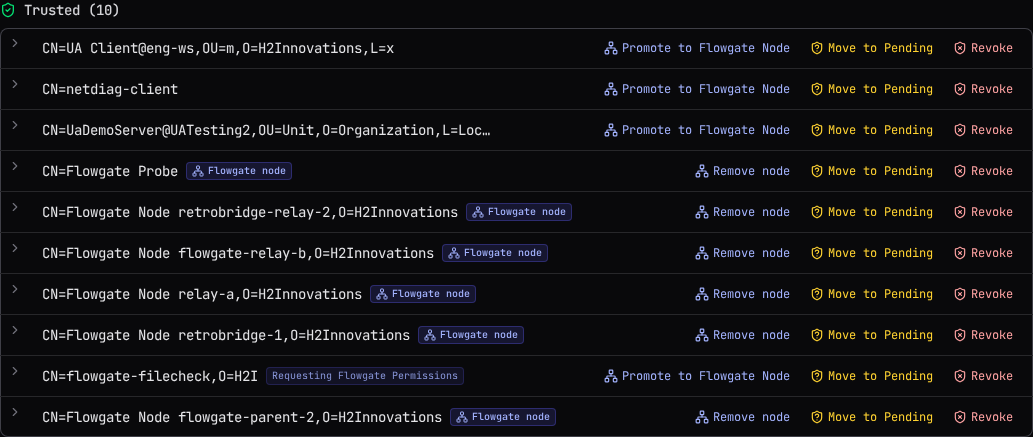
Trusted lists certificates already trusted for data. For each:
- Promote to Flowgate Node / Remove node grants or removes AdminCall, without changing data trust either way. Removing it from a certificate anchoring an active federation link means that node loses remote management until it is re-designated.
- Move to Pending un-trusts the certificate immediately but keeps it in Pending approval, so it can be re-approved later without the peer presenting it again.
- Revoke un-trusts the certificate and discards it entirely; it will not appear in Pending, and the peer must present it again to be re-trusted.
This node's identity shows the connected node's own certificate: Subject, Issuer, Thumbprint, Application URI, validity dates, and its trust model (Self-signed (TOFU) or CA-issued).
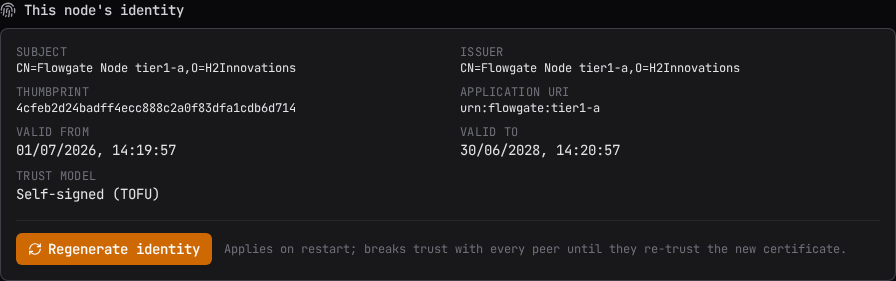
Regenerating an identity breaks every peer's trust
Regenerate identity writes a new certificate and key, discarding the old one, and applies on the node's next restart, which the page then prompts for. The new certificate has a new thumbprint, so every peer that trusted the old one, including every federation and reverse-connect link, fails until it re-trusts the new one.
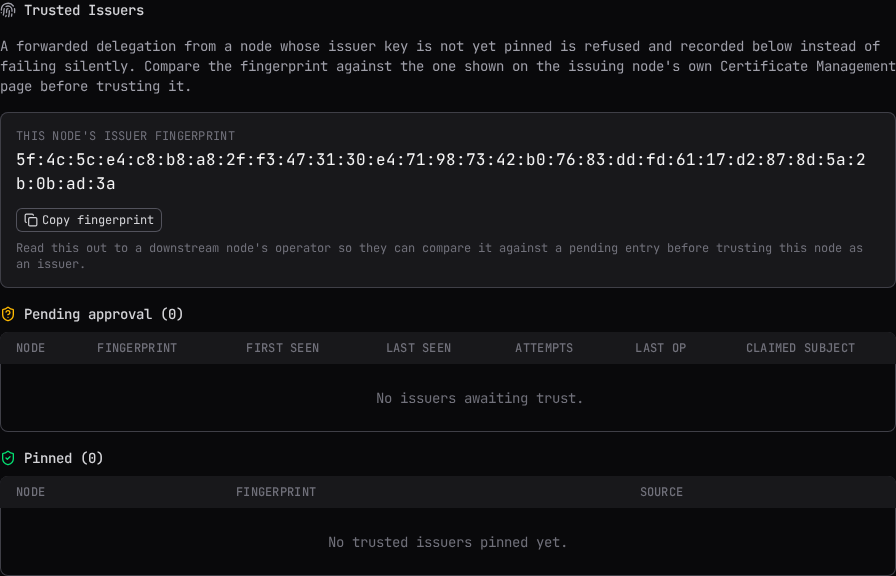
Trusted Issuers
A forwarded remote-configuration request from a node whose issuer key is not yet pinned is refused and recorded here instead of failing silently. This node's own issuer fingerprint is shown so an operator standing at the issuing node's screen can read it out for comparison.
For each pending issuer, Trust Issuer opens a dialog showing the claimed node and its fingerprint, large and monospace with its own copy button, and asks you to compare it against the fingerprint shown on that node's own Certificate Management page before confirming; they must match exactly, and trust should never be based on the node name alone. Dismiss drops the entry without trusting it; a future attempt from the same issuer is captured again. Trusting an issuer already pinned to a different key is refused, naming the conflict, since it may mean the key rotated or an impersonation attempt is under way.
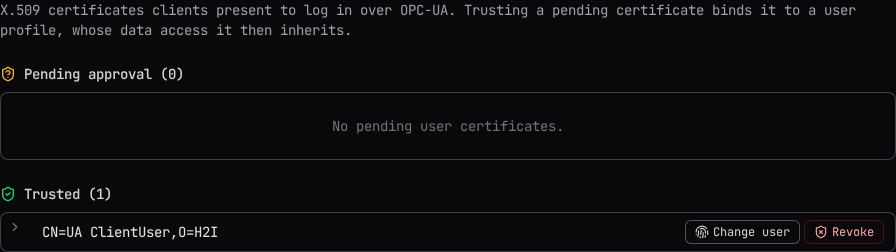
User Certificates
X.509 certificates a client presents to log in over OPC-UA, managed on the connected node only (read-only while managing a node below it). Trusting a pending certificate binds it to a user profile, whose data access it then inherits.
For a pending certificate, Trust + bind opens a dialog to pick which platform user it authenticates as; the dialog states: "This certificate will authenticate as <user>, inheriting their data access." Reject discards it without trusting it. For a trusted certificate, Change user rebinds it to a different user with the same dialog, and Revoke un-trusts and discards it; anyone logging in with it can no longer authenticate until it is presented again and re-approved.
Remote Access Users
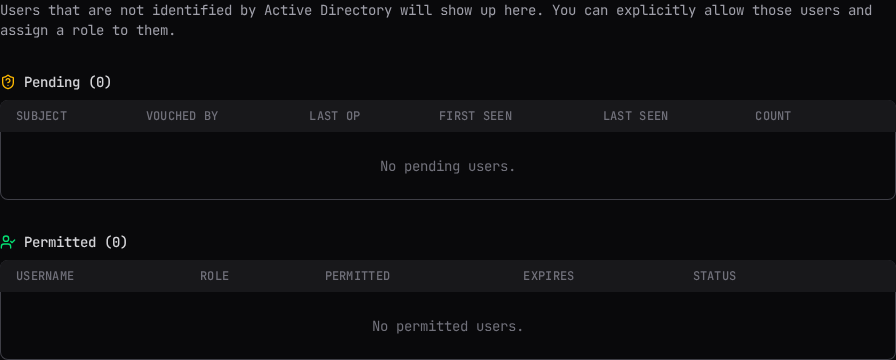
Administrator-only. Like the trust tables above, it follows the node picker: managing a downstream node reads and writes that node's own pending and permitted lists over the reverse-connect channel, the same as Application Certificates does. This tab lists subjects a forwarded remote-configuration request cryptographically vouched for, over a trusted issuer's channel, that the selected node could not resolve to a role on its own: "Users that are not identified by Active Directory will show up here. You can explicitly allow those users and assign a role to them."
Pending lists each subject with when it was first and last seen and how many attempts it has made. Permit grants a chosen role on the selected node to that subject, creating a local account if one does not already exist, with an access expiry date for a newly created account (an existing account's expiry is left unchanged). Dismiss drops the entry without granting access; a future attempt from the same subject is captured again.
Permitted lists users created through the permit flow, with their role, when they were permitted, and their expiry. Edit expiry changes when access ends; Revoke deletes the user outright, and it can no longer sign in or authenticate a forwarded request until it is captured and permitted again. Its role can also be changed directly from the row.
Unlike the per-node role rows on Users & Access, which only grant Engineer or Operator on a specific node, a permit here can grant Administrator scoped to that one node.
If the selected node's product does not implement remote-access users at all, both lists show Not supported on this node instead of an error.
What trusting means
Trusting a certificate for data, and designating it a Flowgate node, are two separate decisions:
Trusting is not the same as designating
Approving or trusting a certificate lets it connect and exchange data. It grants nothing more. Promote to Flowgate Node additionally grants AdminCall, letting the peer configure this node remotely. Do this only for another Flowgate node, never for a generic OPC-UA client, and confirm the certificate really belongs to the node you think it does first.
The designation is named after the protocol identity (urn:flowgate:), so a node of any product
built on Flowgate is promoted as a Flowgate node.
See Chaining and Reverse Connect for how a peer's certificate first arrives here as part of setting up a link.
Related
- Chaining and Reverse Connect: how a link is set up end to end, including certificate exchange.
- Users & Access: the per-node role rows most users are granted through, and binding a certificate's user during the Trust + bind dialog.
- The Audit Chain: every trust decision on this page is audited.